For iPhone and iPad
ProjectOffice Walkdown
Walk the site. Know what works.
Walkdown replaces the printed checklist on a clipboard. Open a site, walk its zones in order, answer each check with one tap, and leave with a report the whole project can act on.
Get it on the App Store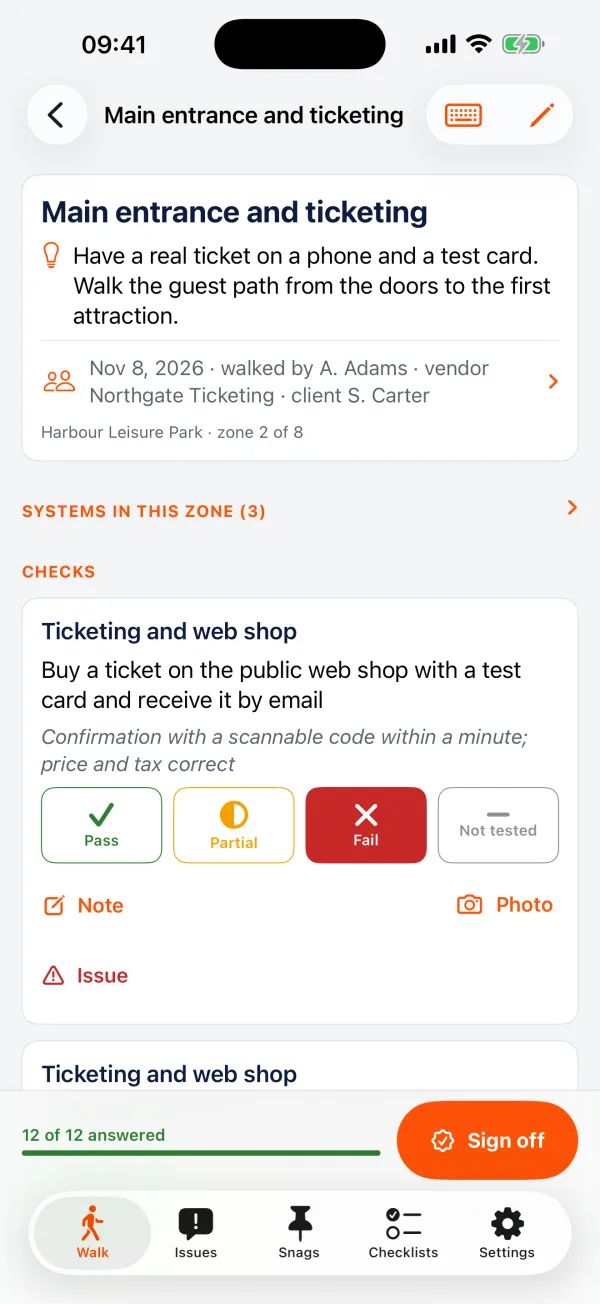
Made for
Readiness and commissioning teams, operators taking over a venue, and anyone who has to see many systems working before an opening date.
What it does
Everything the job needs, nothing it does not
One tap per check
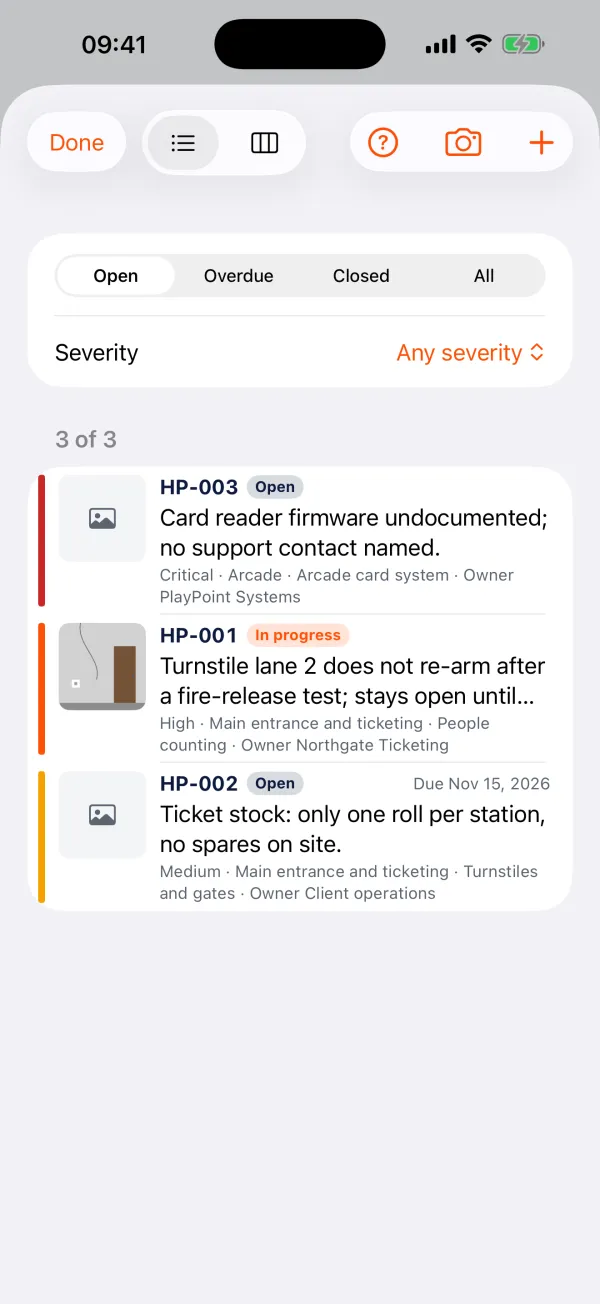
Pass, Partial, Fail or Not tested. Add a note and photos, mark them up, and turn a failed check into a numbered issue with an owner and a due date.
Systems and gates
Rate each system from installed to operationally ready, and give it a RAG. See what blocks the opening.
Sign off on the screen
The walker, the vendor and the client sign each zone. A readiness certificate on one page.
Reports that travel
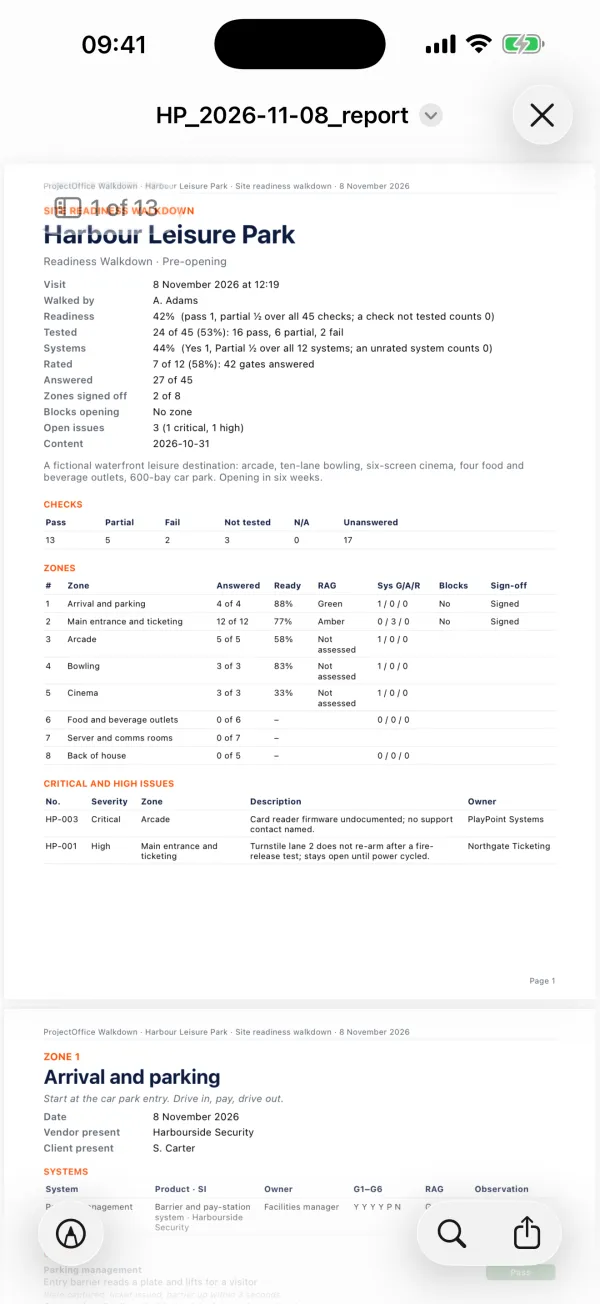
A PDF with photos and signatures, an Excel workbook, CSV files and the photos zipped. By AirDrop, Mail or Files.
Build your own checklist
Make a site in the app, start from a template from the market, or write it in Excel and open it with Walkdown.
Walk together
Two devices on one walk, side by side or over the internet. Answers and photos land on both.
Every visit compared
The next visit shows last time's answers and what moved. Open issues carry forward. A verification walk closes them with proof.
With ProjectOffice
Walkdown works on its own: no account, nothing to set up, and no connection unless you ask for one. Organisations on ProjectOffice can sign in to send a visit straight into a project, photos included, and to pull the checklists their team keeps there.
Price
Free.
On site and offline
Built for buildings with no signal. Everything works offline; a visit waiting to be sent goes out when you are back online.
Part of the ProjectOffice Suite
Works alongside




Questions?
Setup, your data, and answers to common questions are on the support page.
ProjectOffice Walkdown support