
For iPhone, iPad and Mac
ProjectOffice OMDT Planner
Plan backwards from the date that matters.
Most plans fail before the work starts: too vague to steer by, or too detailed to keep up to date. The OMDT Planner builds plans in four layers, objectives, milestones, deliverables and tasks, and starts from the end date, so the plan fits the deadline before anyone commits to it.
Coming soon Ask for early access →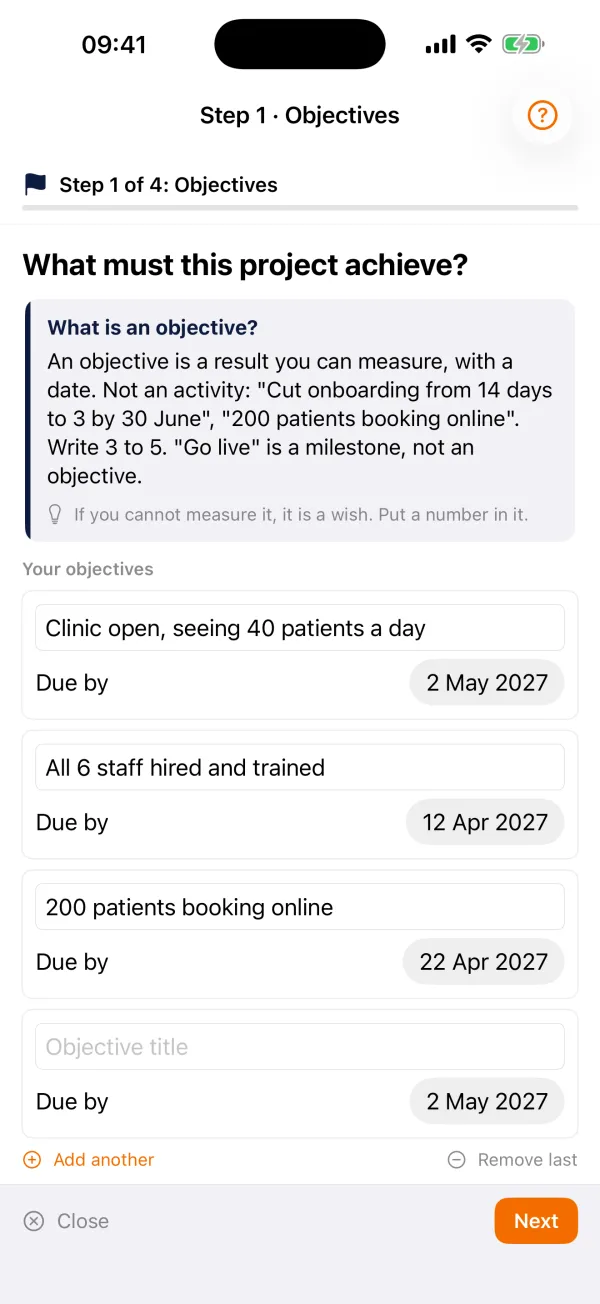
Made for
Project managers, PMO teams and anyone who has to turn a deadline into a plan people can read.
What it does
Everything the job needs, nothing it does not
Guided backward planning
Answer one question at a time: what has to be true at the end, which milestones prove you are on the way, what gets produced, who does what.
A board you build by dragging
On iPad and Mac, objectives are columns: drag milestones, deliverables and tasks into place, and each card tells you in plain words when a rule of the standard is broken.
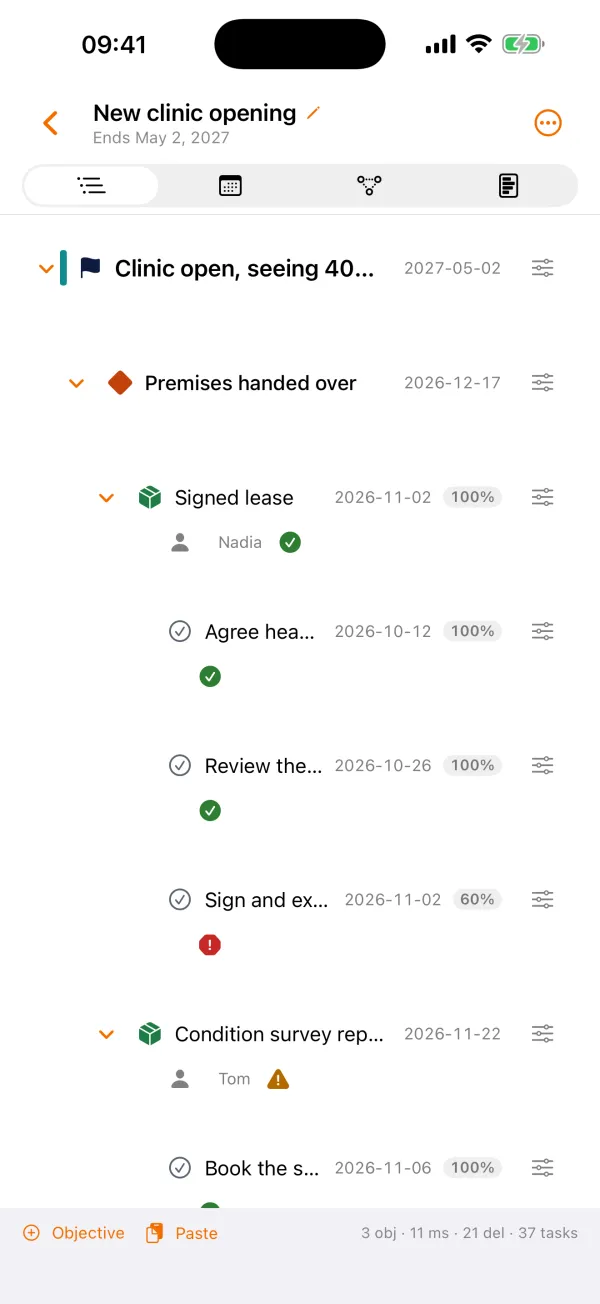
Five ways to see a plan
Board, list, calendar, tree and timeline, with dependencies and the critical path on the timeline.
Bring in Microsoft Project
Open a Microsoft Project XML file on the device and map it to objectives, milestones, deliverables and tasks before you commit.
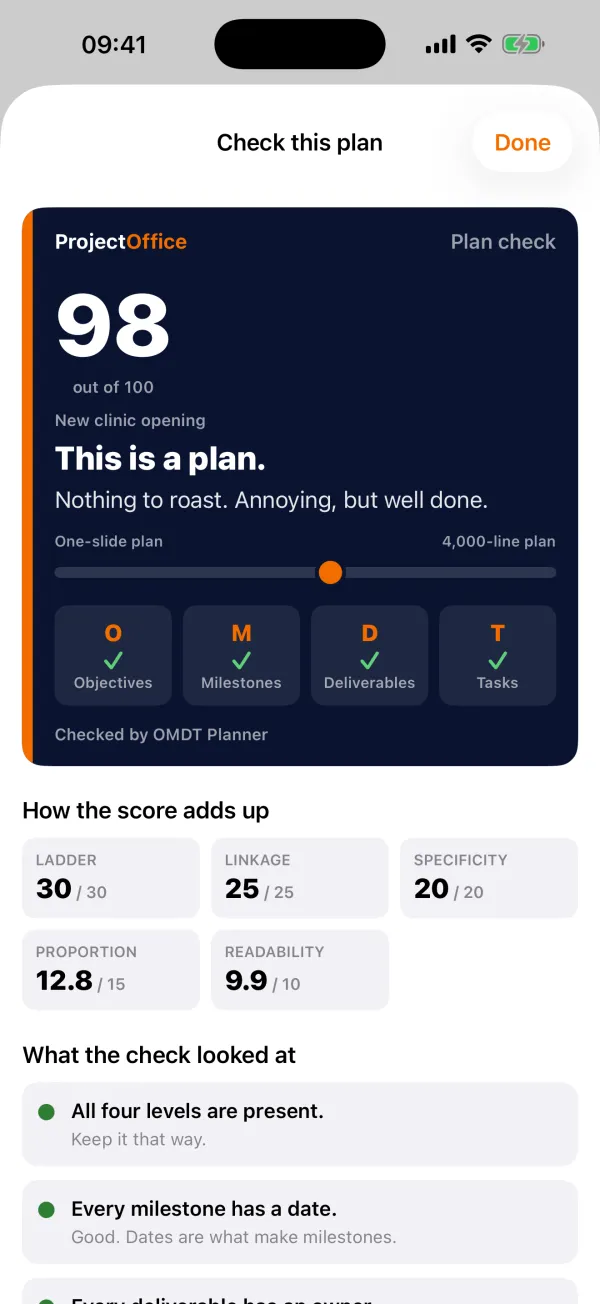
Check the plan
A plan check tells you what is missing or too vague, and how to fix it.
Fast for experts
Type or paste an outline; the keyboard does the rest on iPad and Mac.
Share it
A PDF of the plan for the sponsor, the file for a colleague, or send it straight to your organisation's ProjectOffice.
With ProjectOffice
The OMDT Planner works on its own: no account, nothing to set up. A plan is a file you can open in ProjectOffice, where your organisation can run it. It follows the OMDT Planning Standard taught in our course.
Price
Free.
On site and offline
Everything works offline, on iPhone, iPad and Mac.
Part of the ProjectOffice Suite
Works alongside




Questions?
Setup, your data, and answers to common questions are on the support page.
ProjectOffice OMDT Planner support