
For iPad and iPhone
ProjectOffice Change
Measure change readiness. Stop guessing it.
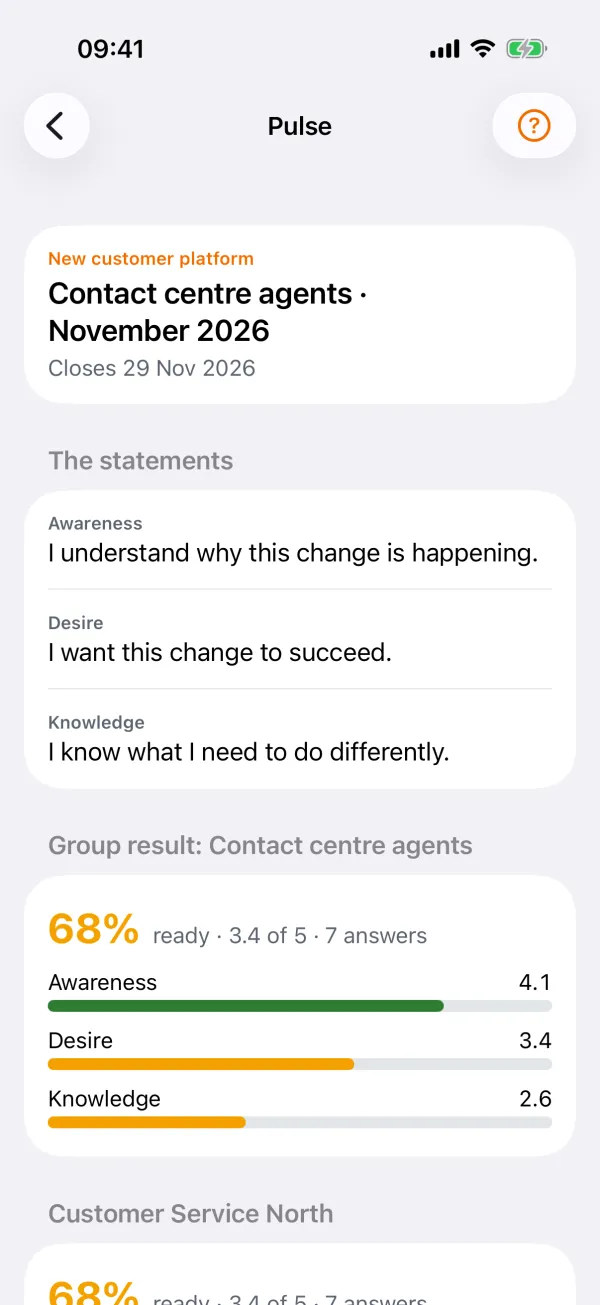
Most change plans estimate readiness. Change measures it: a short anonymous pulse each month, per team, against the go-live. Line managers see what is coming for their teams and what to tell them; change managers see where it is at risk; leaders see whether delivery and adoption move together.
Coming soon Ask for early access →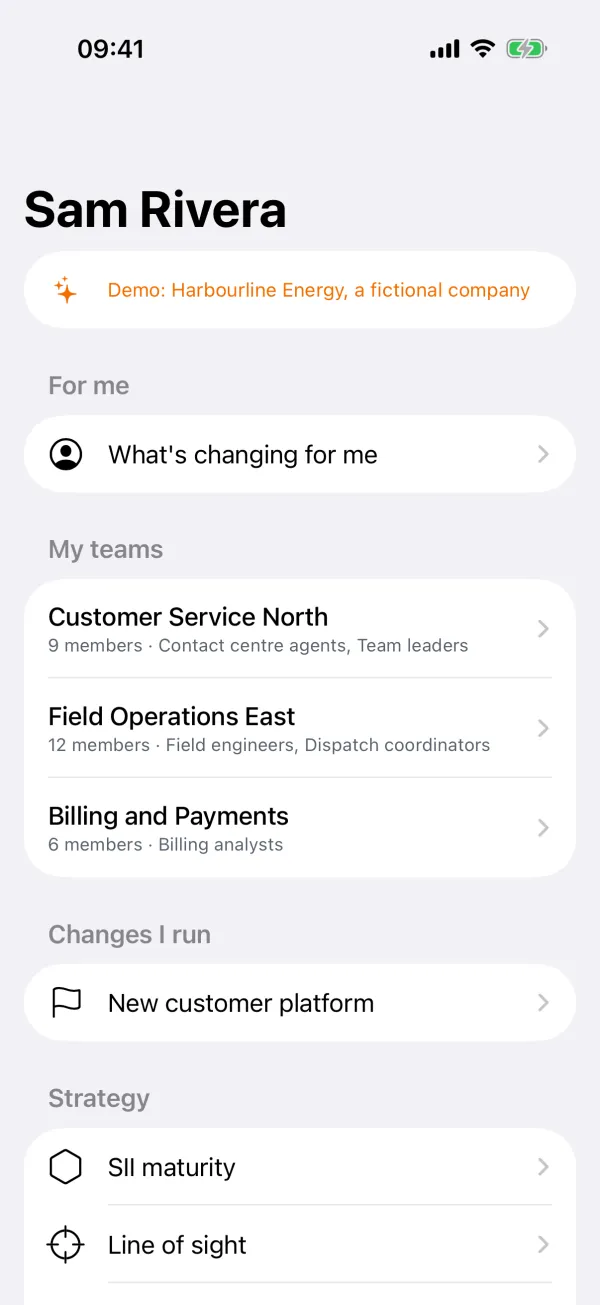
Made for
Line managers, change managers, members of the teams that are changing, and the leaders who need to know whether the change will land.
What it does
Everything the job needs, nothing it does not
What is changing, per team
Every change that reaches a team, by month, with its go-live and how ready the team is.
Anonymous pulses
A short monthly pulse on awareness, desire, knowledge, ability and reinforcement, through a personal link. Results show only when enough people answered, and never who answered.
Talking points
What to tell your team this month. Tick "Briefed my team" when it is done.
Questions and resistance
Members ask, anonymously if they want. Change managers answer and publish. Report resistance and follow what was done about it.
For leaders
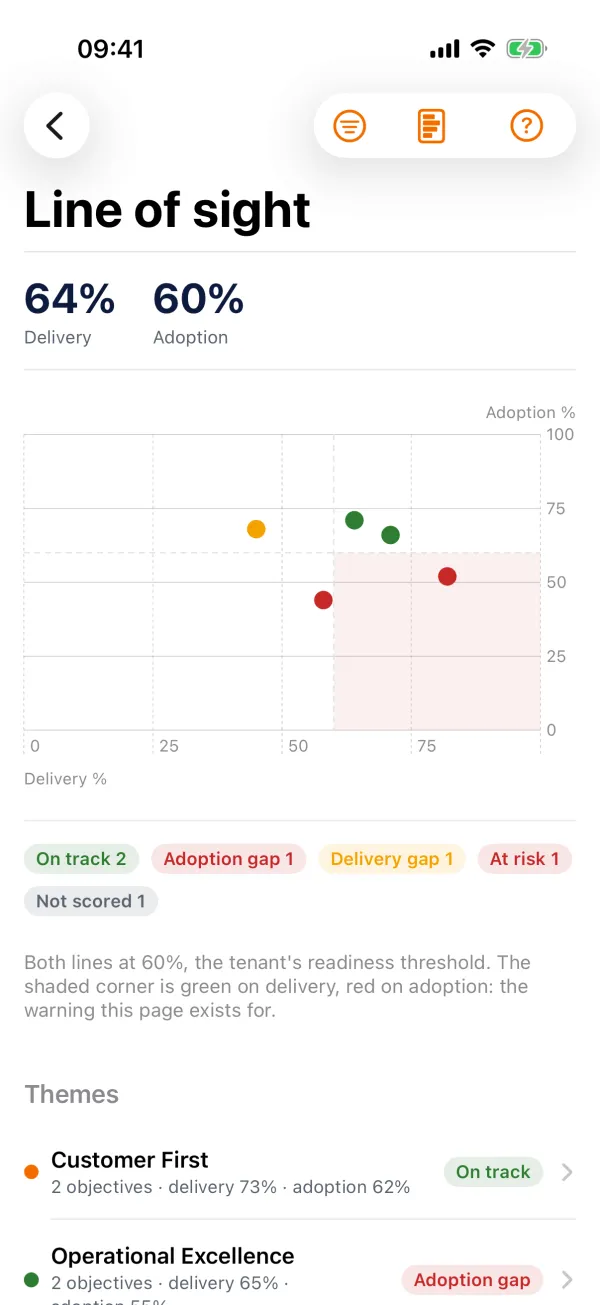
Strategy maturity, self against evidence. Line of sight from delivery to adoption. A heatmap of change saturation per group.
Reports and presenting
A board pack and a team report as slides or an A4 PDF. Present on the iPad with a presenter view on the room screen.
With ProjectOffice
With a company ProjectOffice, everyone sees their part of every change. On your own you can start without an account (everything stays on the device), or with a free personal account through Sign in with Apple to back it up and run pulses for your own teams.
Price
Free on your own. The free personal account covers 2 changes, 3 teams and 25 people a pulse. With a company workspace, part of ProjectOffice.
On site and offline
Everything you have opened stays on the device. Changes you make offline are sent when you are back online.
Part of the ProjectOffice Suite
Works alongside



Questions?
Setup, your data, and answers to common questions are on the support page.
ProjectOffice Change support