
For iPad and iPhone
ProjectOffice Board
The board pack in your hand.
The PMO publishes the meeting pack in ProjectOffice. Board puts it on the iPad of every member: read it before the meeting, flag what you want to raise, decide in the room, and leave with the actions assigned and the minutes written.
Coming soon Ask for early access →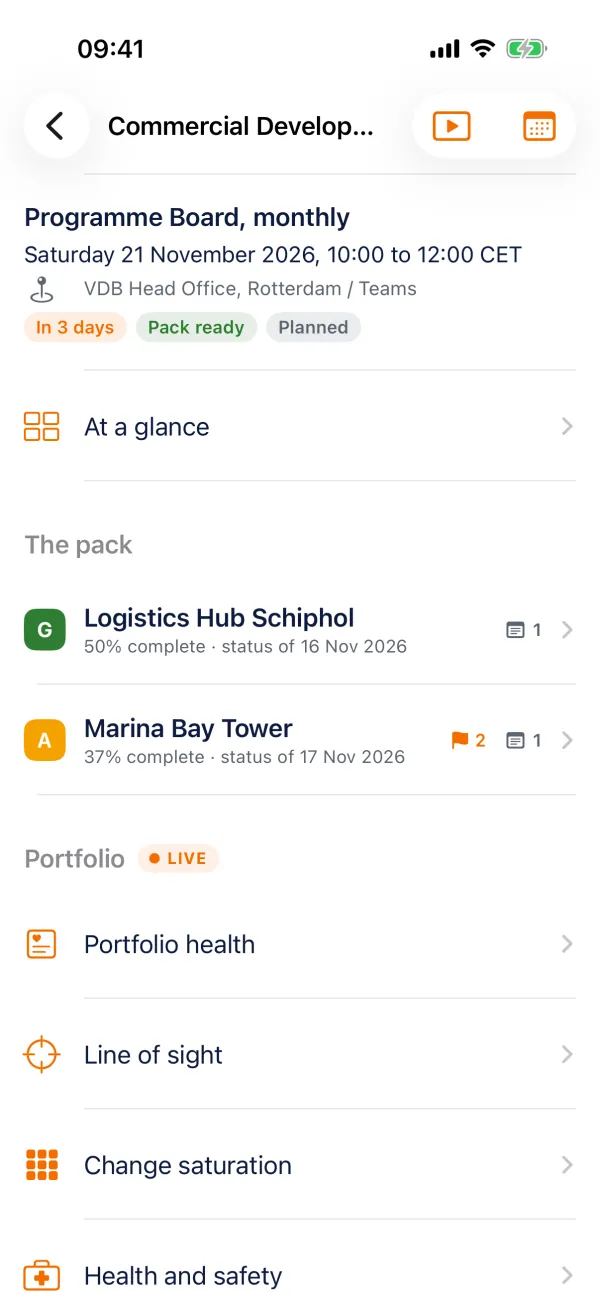
Made for
Sponsors, steering committee and board members, and the PMO that runs the meeting.
What it does
Everything the job needs, nothing it does not
The pack, ready to read
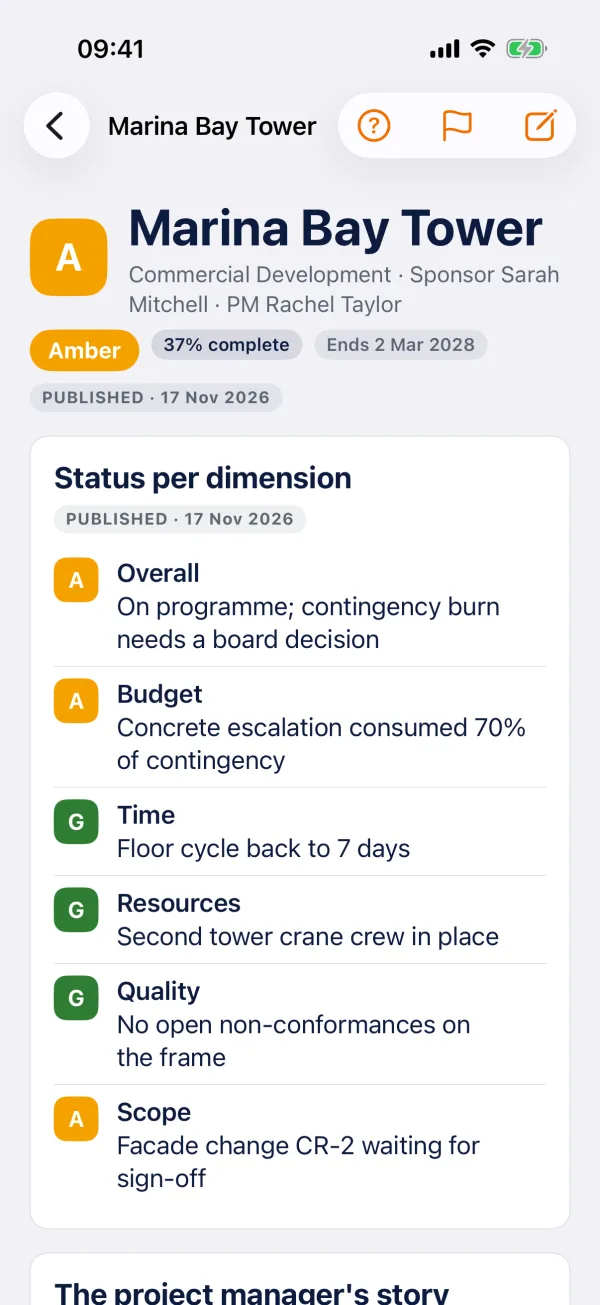
Every project with its RAG per dimension, the narrative, the money, the top risks and issues, and the deliverables that are slipping. Each block says whether it is the published pack, the weekly report or live data.
Prepare in five minutes
Flag what you want to raise and keep notes, private or shared with the committee. Add a point under any other business.
Decide in the room
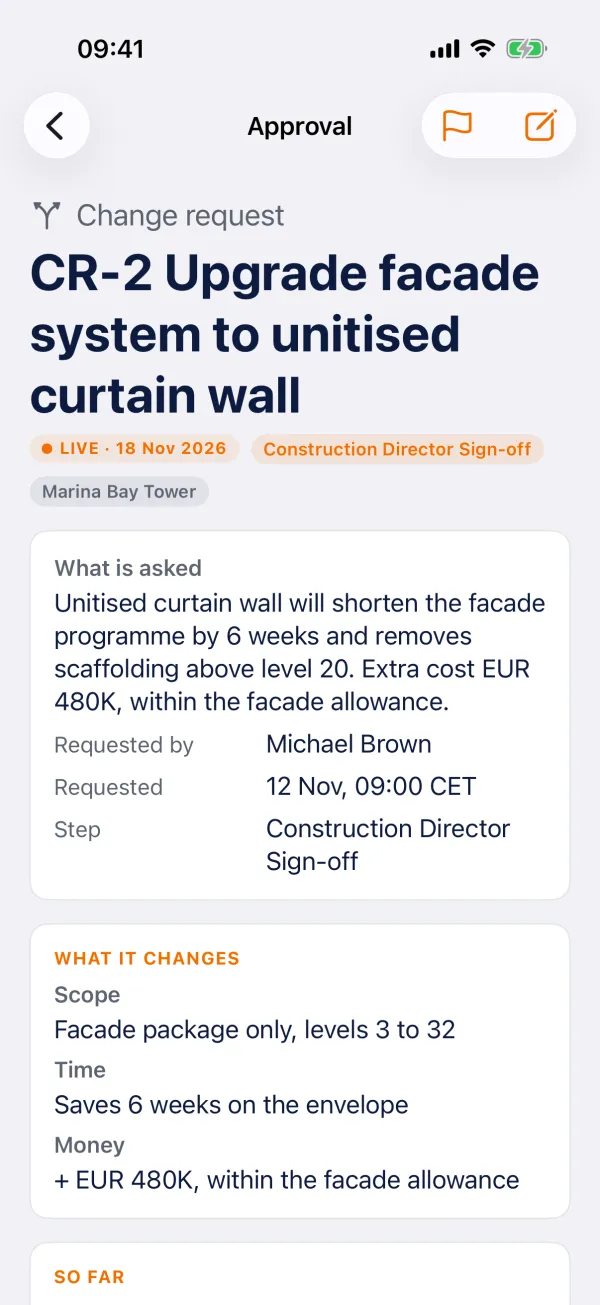
Approve, reject or defer with the day it comes back. Raise a new decision with a due date. Approve changes and spend with the earlier votes and the impact in view.
Actions out
Give every action an owner and a due date before the meeting closes. The owners see them in ProjectOffice.
Present
Put the agenda on the room screen or AirPlay, with a presenter view on the iPad.
Minutes the same day
The outcomes and the minutes build themselves as you decide. Share them as a PDF.
With ProjectOffice
Board needs a company ProjectOffice workspace: the PMO sets up the committees and publishes the pack there. "Explore the demo" shows every screen without an account.
Price
Free with a ProjectOffice workspace.
On site and offline
The last pack stays on the iPad. Flags, notes and decisions made offline are sent when you are back online.
Part of the ProjectOffice Suite
Works alongside



Questions?
Setup, your data, and answers to common questions are on the support page.
ProjectOffice Board support